
Guide
Ring Stick Up Camera and Solar Panel: Compatibility, Sizing and Mobile-Home Mounting (2026)
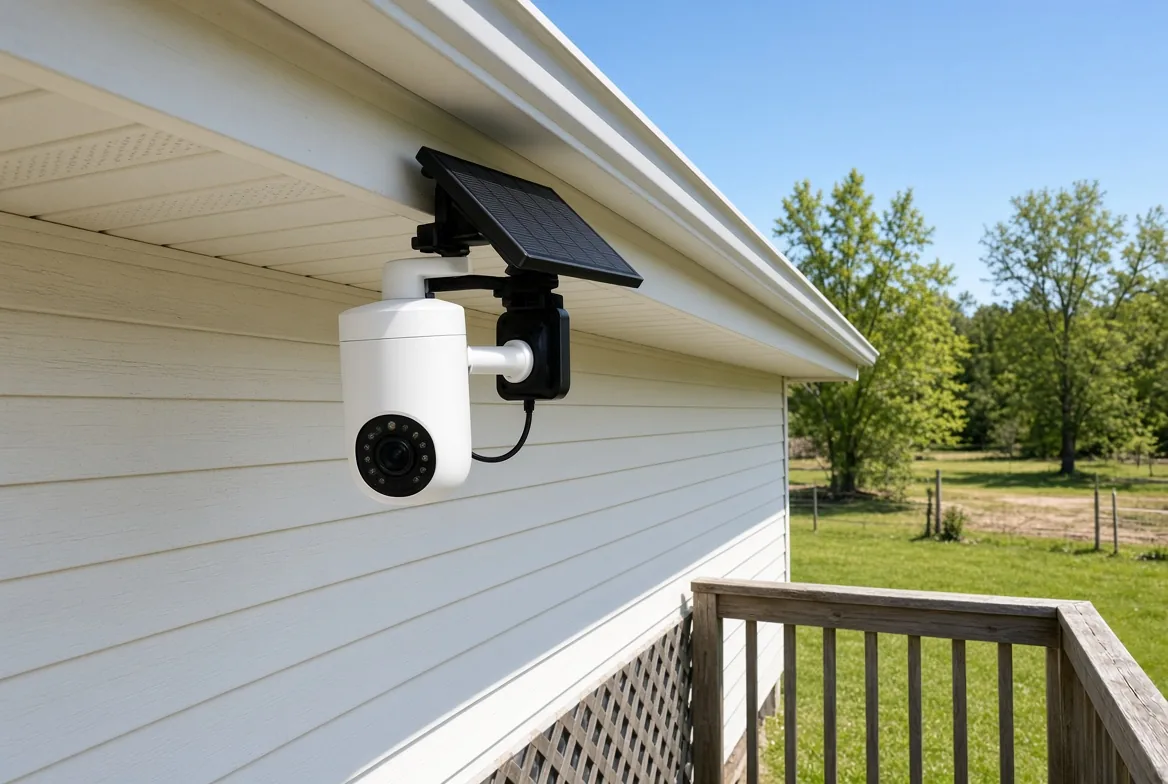
A Ring Stick Up Cam that runs on a solar panel is the standard fix for anyone who is tired of climbing a ladder with a charged battery pack in one hand. It works - but only on the battery-powered models, and only if the panel sees real, unobstructed sun. Ring publishes the requirement plainly: the 4W USB-C panel needs 2-3 hours of direct sunlight a day, the 5W Super Solar Panel needs 1-2 hours, and the small 1.9W panel needs 3-4 hours. For a mobile or manufactured home, the deciding factor is rarely the camera. It is where you can legally and safely hang the panel.
Which Stick Up Cams can run on solar
Ring's current line-up comes in four power flavours: Stick Up Cam Battery, Stick Up Cam Plug-In, Stick Up Cam Solar (which ships with a panel and a Quick-Release Battery Pack), and Stick Up Cam Elite. The Elite is Power-over-Ethernet only - it has no battery bay and no solar input at all, so if that is your camera there is no panel to buy and the honest answer is to run an Ethernet drop. The higher-tier Stick Up Cam Pro does support solar, but only through the newer USB-C panel.
Ring has also started renaming the 3rd-generation Stick Up Cam to "Outdoor Cam", so accessory listings now show both names for the same hardware.
Official Ring panels and what they actually fit
- Solar Panel (1st Gen, barrel plug, 2.4W) - works with Stick Up Cam Battery (current 2nd/3rd Gen)
and Spotlight Cam Battery. It does not work with the original Stick Up Cam.
- Solar Panel (2nd Gen, USB-C, 4W, $59.99) - works with Outdoor Cam Plus, Outdoor Cam (Stick Up Cam),
Stick Up Cam Pro and Spotlight Cam Plus. A barrel adapter is included.
- Super Solar Panel (5W, barrel plug) - works with Stick Up Cam Battery (2nd and 3rd Gen only) and
Spotlight Cam Battery. Not with the Pro.
The main decision is therefore simple: 4W USB-C for a standard camera, 5W Super if you live somewhere cloudy or the camera is busy.
How much sun each panel really needs
Ring's own comparison table lists the minimum direct sunlight each panel needs per day - and the number is hours of genuine direct sun in the middle of the day, not daylight hours. The 5W Super Solar Panel is rated at just 1-2 hours, the 4W USB-C panel at 2-3 hours, and the small 1.9W panel at 3-4 hours. Anything less and the panel becomes a trickle charger that loses ground every day.
Clouds are the other half of the story. Industry figures put cloud-driven losses anywhere from roughly 23% to 67% depending on thickness and altitude, and dust, pollen and bird droppings shave another 20-40% off output. In practice that means a panel that satisfies Ring's minimum in July can be underwater in December - which is exactly when you least want to climb a ladder.
Cold weather: the hard limit nobody mentions
Lithium packs do not charge below freezing. Ring support states a charging range of 32F to 113F (0C to 45C) and warns that the camera will not charge its battery at or below roughly 30F; at -5F (-20C) the battery may disconnect or drop into Sleep Mode. In a manufactured home this matters more than it does in a heated garage: if your camera faces a north wind, plan on pulling the battery and charging it indoors for a few weeks each winter. No panel size fixes a sub-freezing cut-off.
Generic panels: what you must match
A third-party panel is fine if the electrical specs line up. The safe target is a 5-6V panel rated 4-6W. Older barrel-plug cameras use a 4.0mm x 1.7mm (EIAJ-02) barrel connector - the dimension is inferred from converging third-party cables rather than published by Ring, so buy a panel that explicitly lists Stick Up Cam compatibility. Newer cameras use USB-C, and Ring sells a $12.99 Barrel Plug to USB-C adapter in both directions if the generations do not match. Undersized panels are the classic mistake: they offset part of the daily draw, the Ring app starts sending low-battery alerts, and eventually the camera drops offline entirely.
Sizing and mounting on a mobile home
The arithmetic is friendlier than most people expect. A Stick Up Cam on moderate traffic draws only about 2-4% of its battery per day, and the standard Quick-Release Battery Pack is rated 3.65V / 6,040mAh / 22.05Wh - roughly 120-240mAh of daily consumption. A 4W panel that gets its two to three direct hours covers that comfortably. Busy locations (pet-triggered alerts all day) push toward ~10% per day, and that is where the 5W Super earns its keep.
On the roof itself, skip drilling. Metal and low-slope manufactured-home roofs leak when penetrated, and a penetration can void a roofing warranty. Ring's own no-drill hardware is a reasonable starting point:
- Gutter clamp - Ring's Gutter Mount
clamps onto K-style, half-round, box and fascia gutters without a single hole. Clamp-style third-party versions run about $10-15.
- Pole or downspout mount - Ring's
Pole and Wall Mount grips posts and downspouts from 2 to 5 inches, which covers carport poles and porch posts, or screws flat to a wall.
- Magnetic Z-brackets - 300-1,200lb pull versions stick to steel roofs with zero drilling. They do
not work on aluminium or shingle.
- Fence-post or skirting mounts - keep the panel off the roof completely, which is often the
easiest answer on a home with a deep eave.
Angle it due south (northern hemisphere) with a fixed tilt roughly equal to your latitude; go about 15 degrees steeper to favour winter sun, or 15 degrees flatter for summer. Clear the eave overhang - shading a panel by even a few inches in the afternoon cuts the whole day's harvest.
What actually goes wrong
Six failure modes show up again and again in owner reports: a panel that is simply too small for the camera's traffic; a dirty panel losing 20-40%; shade from a tree or the eave overhang; water intrusion and corrosion inside the DC connector; a camera that is not properly seated on its mount, which interrupts the charging circuit (check the Ring app's Device Health - Power Source screen); and the winter shutdown described above. Five of the six are installation problems, not product problems.
What it costs, and what it saves
Official Ring panels run from $39.99 for the 1.9W small panel to $99.99 for the 5W Super Solar Panel, with the 4W USB-C model at $59.99 as the mainstream pick. A generic 4-10W panel runs $15-37, and Ring's own plug-in adapter is around $29.99 if a covered outdoor outlet happens to be within reach. Weighed against battery packs and ladder trips, a panel pays for itself within roughly a year of moderate use - but only on a battery camera that gets real sun, and only in a climate that stays above freezing long enough for the panel to work.